

MyPersonas for Jive AI: Beyond Avatars
Welcome to a seamless fusion of your knowledge and likeness, masterfully woven into the fabric of your digital clone. Your voice, your look, seamlessly synced.
Take a look at the press release here.
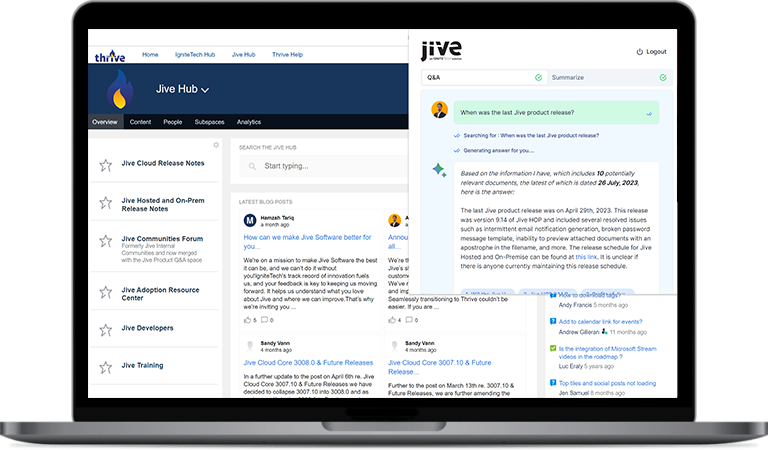
Jive CoPilotTM: A GenAI Assistant for Mining Content on Jive
Jive CoPilot employs enhanced search capabilities and ChatGPT to answer questions and provide summaries drawn from relevant documents. The combination of advanced search and AI-driven text generation streamlines the user experience, making relevant data easier to find and understand.
Goodbye Silos And Disconnects, Hello Teamwork.
Our interactive platform serves as both modern document management and a people-centric collaboration hub.
Collaborate
Unite all of your people, content and resources in one easy-to-use platform.
Communicate
Ignite communications in every direction: top-down, bottom-up, peer-to-peer.
Connect
Turn a dispersed organization into a close-knit community.
Jive Is The Choice Of Leading Companies And Millions Of Users Worldwide







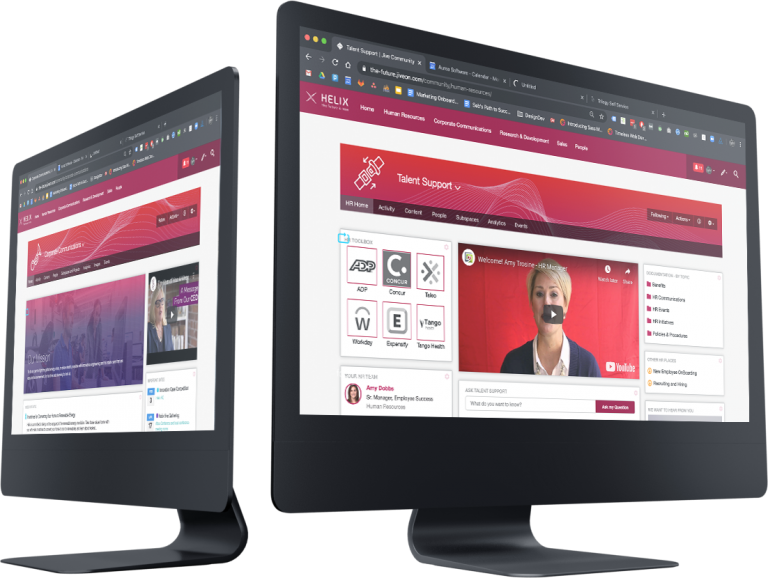
An Employee Engagement Platform (EEP) Like No Other
Jive is an EEP employees really use and love. They get more done and they’re happier doing it, thanks to our next-level features.
Discover
Our PeopleGraph™ technology understands users’ search intent and delivers hyper-targeted results – often even surfacing information they didn’t know to ask for.
Suggest
Our technology learns how you work and suggests the content and collaborators you need to get projects done.
Integrate
Connect to all of the apps and platforms your employees love with Jive’s flexible integrations. Plus, we’ll keep you organized even when you’re working in external apps with continuous automated syncs.
Analyze
Go beyond standard analytics. Jive provides unprecedented insight into how your people are collaborating. Examine everything from overall community growth to each employee’s personal analytics to determine what’s working and make smarter decisions.
Massive, Measurable Impacts
15%
Higher Productivity
34%
Less Time to find Knowledge and Experts
24%
Reduction in Employee Turnover
17%
Fewer IT Tickets
Average results from hundreds of Jive customers, verified by independent researchers